
When you create or edit a program, the first area you encounter in the control panel is the program's Info screen.
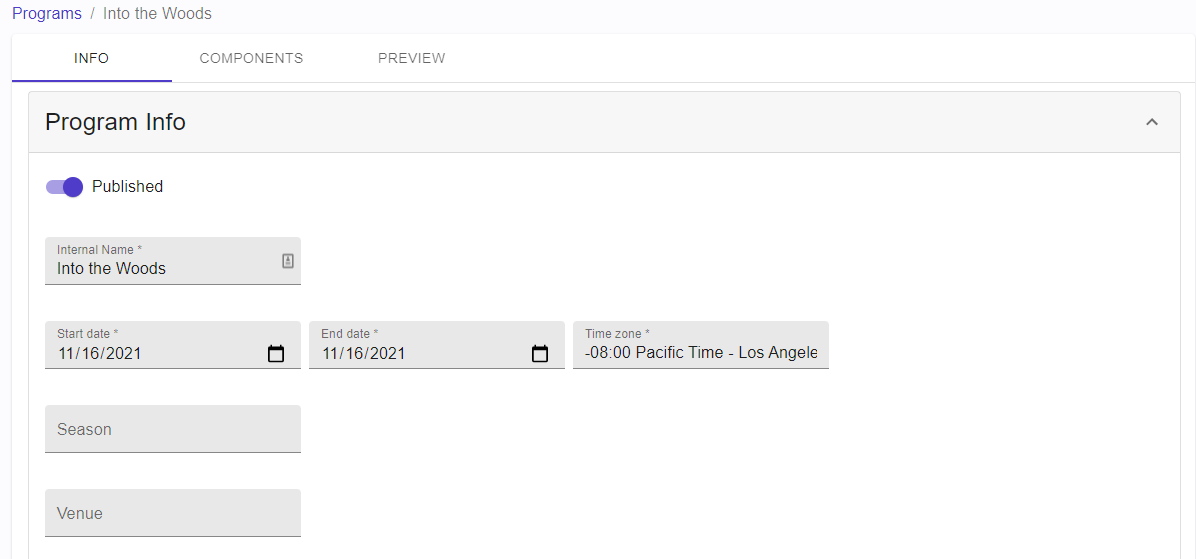
The Program Info screen.
Program Info Fields
Fields marked with an asterisk (*) are required. All other elements are optional.
|
Program Info Field |
Descriptions |
|
Published |
When you first create a program, this is disabled by default - which places the program in Draft status. Toggle the switch and click Save to publish your program. |
|
Internal Name * |
Used to identify that program from the others in a list. |
|
Start Date * |
The first day when your program should appear in the Current list on your Published Programs page. If you publish a program prior to its Start Date, the program will appear in the Upcoming list. |
|
End Date * |
The last day when your program should appear in the Current list on your Published Programs page. After the End Date, the published program will appear in the Last list. |
|
Time Zone * |
Time zone that the program takes place in. |
|
Season |
Optional field you can use to categorize your programs. |
|
Venue |
Optional field you can use to categorize your programs. |