
When you create a program, you will be prompted to select an image for the program's Header. When you create a Content Block, you have the option to add an image for its card on the Program Home page.
If the card links to a Content Page, you can add an image for that page's Header and Content Blocks.
The Image Size element determines how these images will appear in relation to their available area on the screen.
| Image Size | Description | Content Block Card | Content Page Header |
| Cover |
Image boundary will span the width of the area and have a 16:9 ratio. If the image is not 16:9, the top/bottom or left/right will be cropped as appropriate. |
 |
 |
| Contain |
Image boundary will span the width of the area and have a 16:9 ratio. If the image is not 16:9, the top/bottom or left/right will be padded with empty space so that the entire image is visible without cropping. |
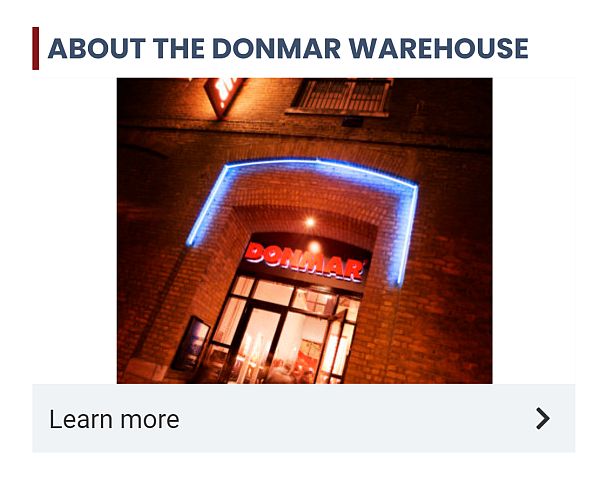 |
 |
| Full | The image will fill the width of the area. The height will adjust to maintain the aspect ratio of the image. | 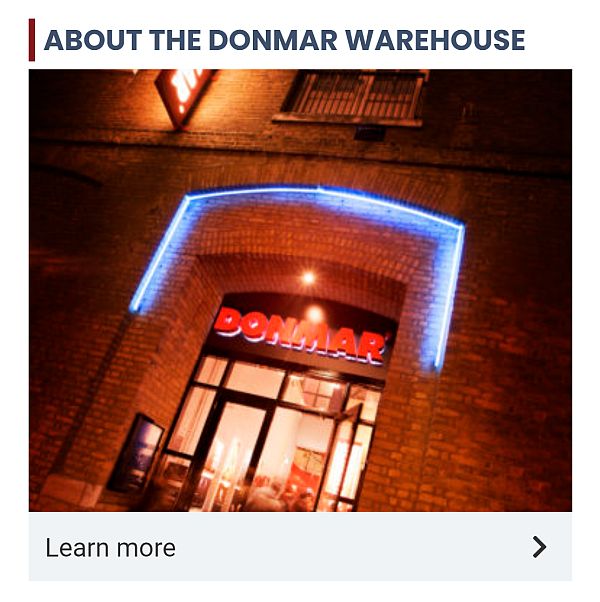 |
 |
Image Size Options for Headers & Content Block Types
| Header or Content Block | Cover | Contain | Full |
| Header | ✔ | ✔ | ✔ |
| Thumbnail Card | ✔ | ✔ | |
| Image Card | ✔ | ✔ | ✔ |
| Vertical List | ✔ | ✔ | ✔ |
| Horizontal List | ✔ | ✔ | |
| Custom* | ✔ |
* While images inserted into a Custom block do not have an Image Size field, they are shown as full width images.